
Help guides · Money
Check booking payments
- For
- Owners and administrators, Finance, Management read-only
- Booking system
- Hostaway and Uplisting
- Last checked
Booking payments helps you compare what a guest paid, what a channel took and what you expect to receive.
Steps
- Open Money, then Booking payments.
- Set the date range for bookings that checked out.
- Review the totals and the items needing a decision.
- Open a booking to read the payment lines from the connected system.
- Compare any estimate with the channel's payout statement. The page has a statement check, not a control to record a final amount.
Finance: open Booking payments directly from the main menu.
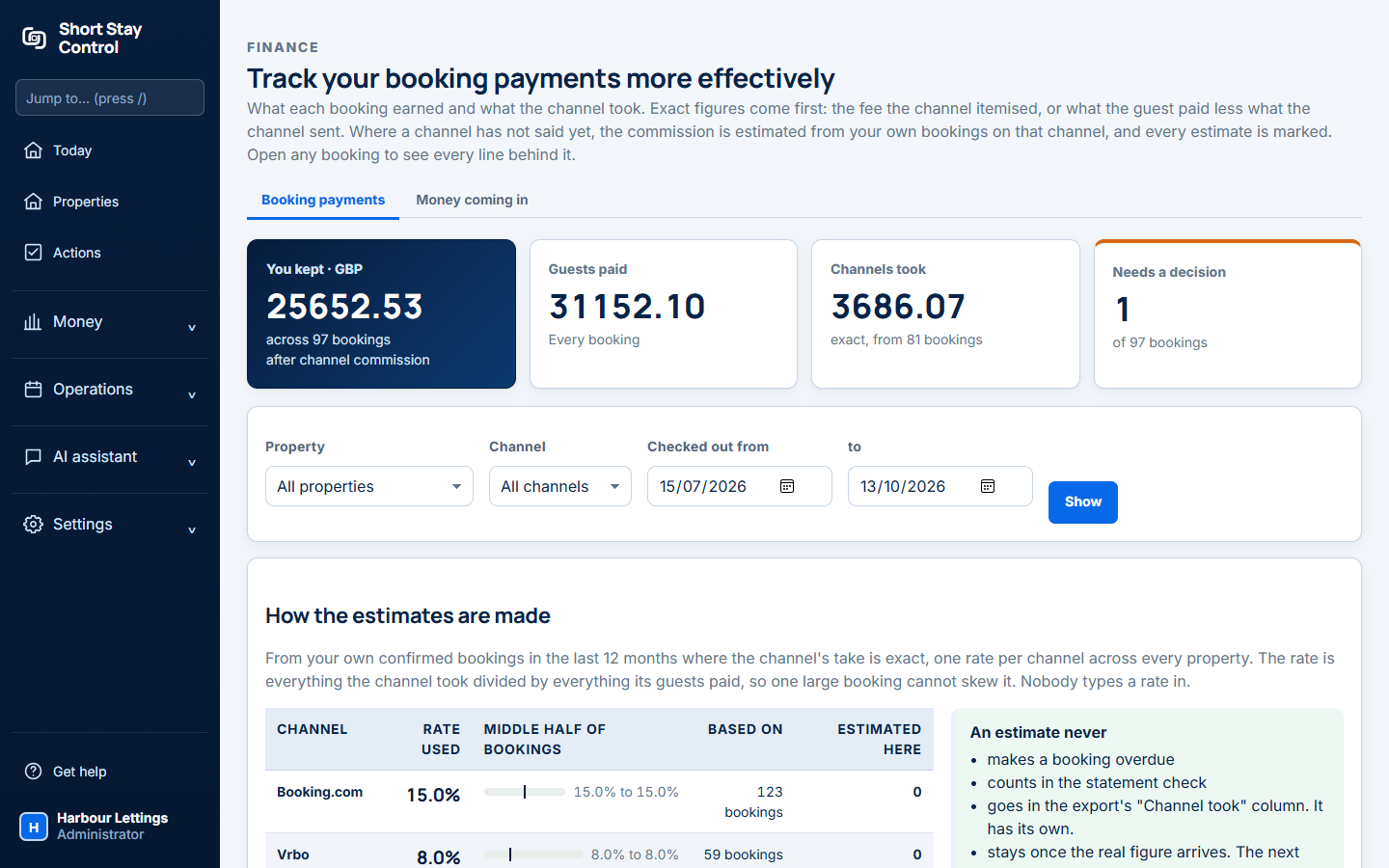
Figure 1. Booking payment review in the demonstration workspace.
What you will see
The page groups differences by cause. Hostaway and Uplisting can provide different payment details. Uplisting may not know the exact Airbnb fee, so the booking view shows an estimate and explains that the statement may differ. Administrators, Finance and management read-only members can open this page. Operations managers, office managers and facilities members cannot by default.
If something goes wrong
- "No bookings checked out in this range." Widen the dates or check that bookings have been imported.
- "No bookings match these filters. Try clearing the filters or widening the dates." Clear the selected flags or basis filters.
- If the page says "cannot say" for a line, use the channel statement rather than assuming the amount is zero.