
Help guides · Operations
Check cleaning figures
- For
- Owners and administrators, Finance
- Booking system
- Hostaway and Uplisting
- Last checked
The cleaning view brings cleaning income and recorded costs into the portfolio report so you can see how they affect contribution.
Steps
- Open Money, then Portfolio & P&L (profit and loss).
- Open the Cleaning view.
- Check the reporting period and included properties.
- Compare cleaning fees from bookings with approved cleaning costs.
- Open a property or receipt when a figure needs investigation.
Finance and management read-only: open Portfolio and P&L directly from the main menu.
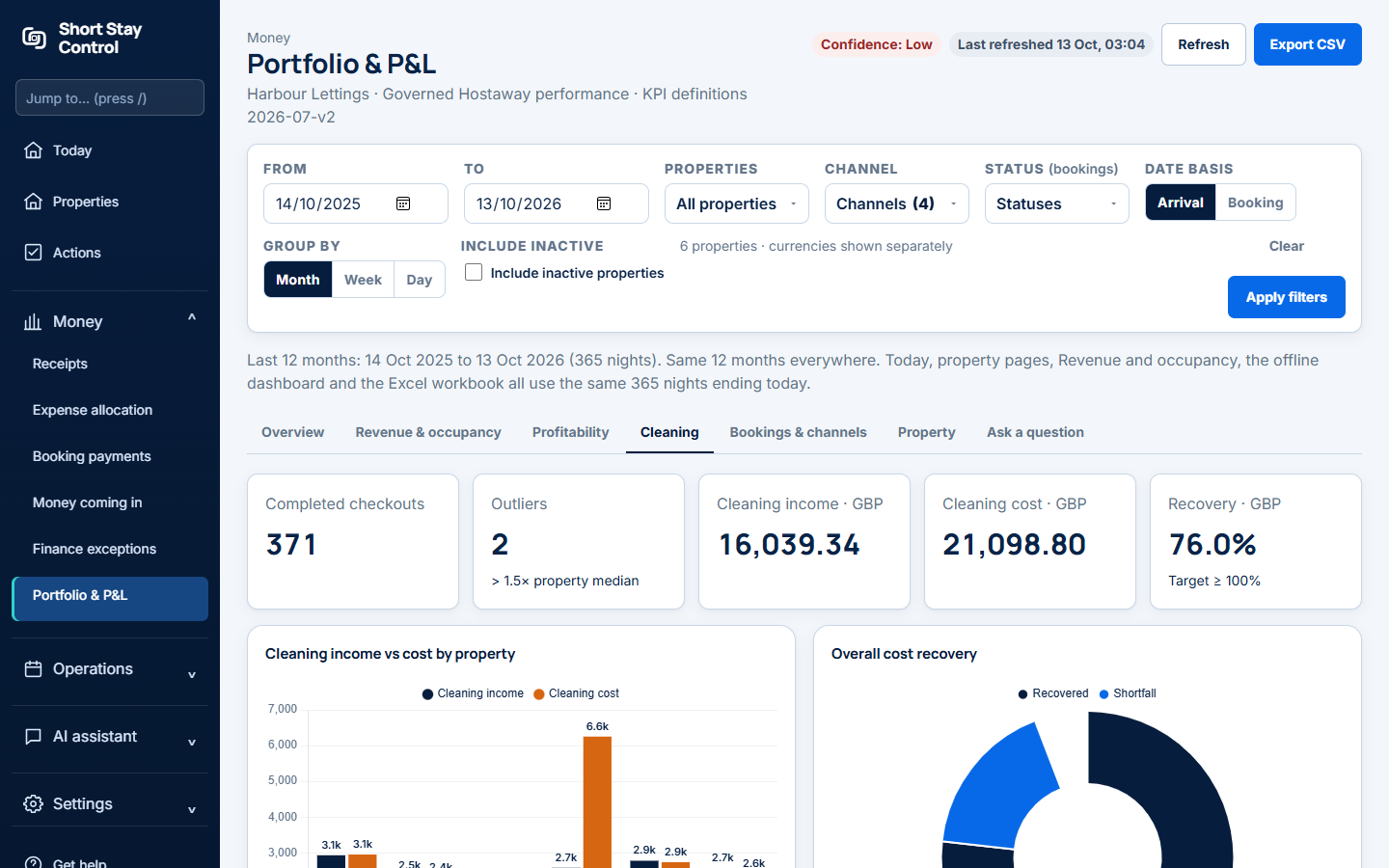
Figure 1. Cleaning within the portfolio report.
What you will see
The page uses the same governed reporting period as the rest of the portfolio report. An unapproved cleaning receipt is not an approved cost. Finance members can see the finance report; facilities and office managers do not see it by default.
If something goes wrong
- If an earlier comparison is unavailable, check the selected dates and imported booking history.
- If a cleaning cost is absent, check that its receipt was approved and assigned to the intended property.
- If the workspace is still connecting, the setup guide says "Workspace not ready yet." Wait for the import before relying on the totals.