
Help guides · Frequently asked questions
Hostaway questions and fixes
- For
- Owners and administrators, Operations managers, Office managers, Management read-only
- Booking system
- Hostaway
- Last checked
These are common Hostaway connection and import questions. Start at Settings, then Connections, where the status and last sync are shown.
Steps
- Find the exact on-screen message in the list below.
- Check the connection's last successful sync and readiness checks.
- Use Run safe test after replacing a key, or an import control if the key is healthy but data is old.
- Use Get help with the message and time if the problem continues. Never send your key.
Only administrators have a Connections menu link. Operations managers, office managers and management read-only members with integration viewing may open a shared Connections link; Finance cannot open Connections.
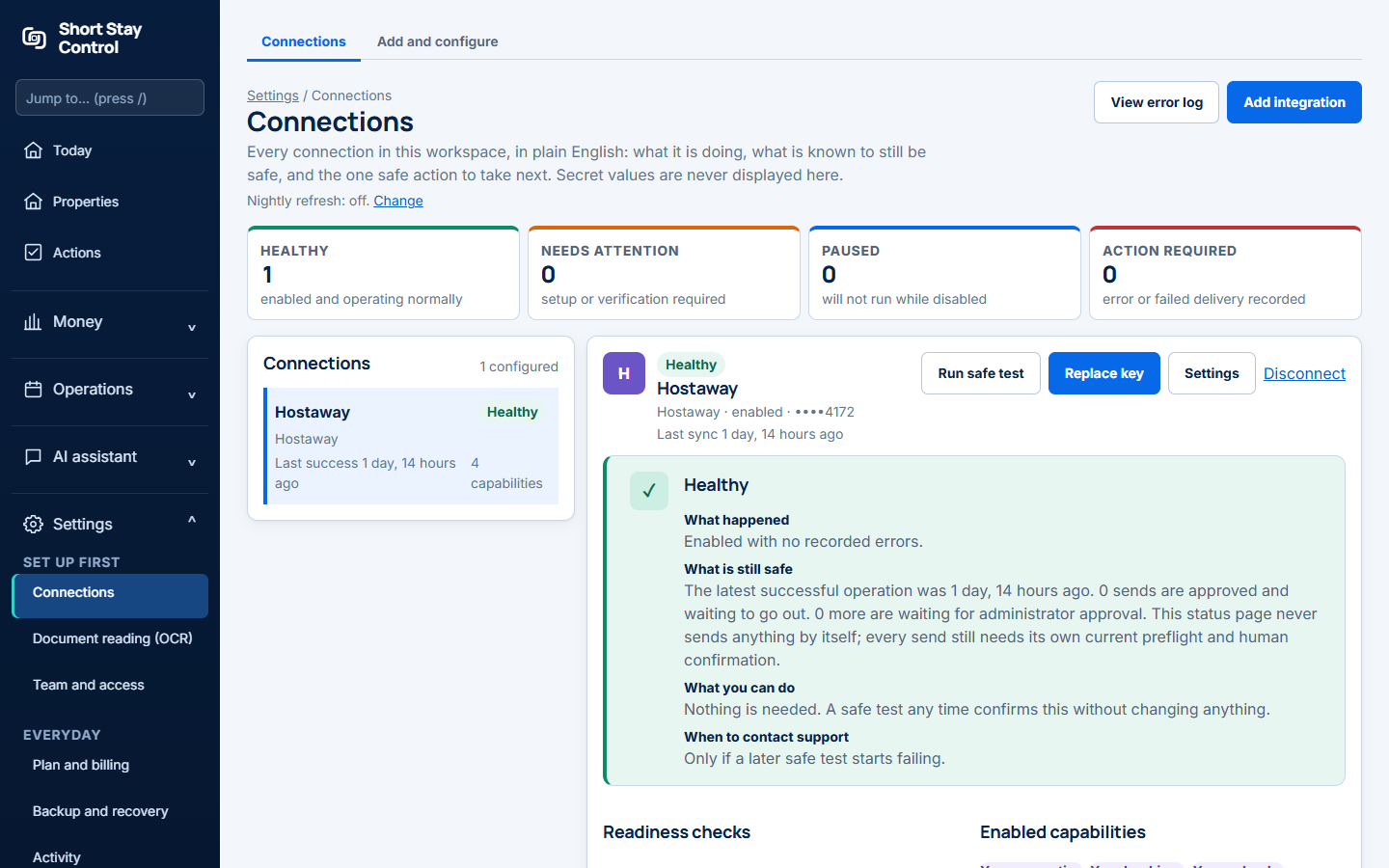
Figure 1. A healthy simulated Hostaway connection and its status panel.
What you will see
- "This should be a number, like 123456. It is shown next to your API key in Hostaway." Account ID, or account identifier, needs 4 to 10 digits. Copy it again from Hostaway. API means application programming interface.
- "Hostaway did not accept these details." The account identifier or key may be wrong or deleted. Copy both from the same Hostaway row.
- "Hostaway is busy right now." Wait a few minutes and try again.
- "We could not reach Hostaway." Try again later. Your saved details can still be correct.
- "Safe test failed." Open the readiness checks on Connections.
The first read gets up to 100 records of each kind so your properties can appear. The rest of the history is queued in the background. Nightly refreshes run when they are switched on. Short Stay Control never changes bookings, prices or calendars. Sending an approved receipt cost to Hostaway needs a separate administrator confirmation.
If something goes wrong
- "Hostaway did not return any readable datasets." The key signed in but could not read the needed information. Make a new key and test it.
- "Import stopped at the 100-page safety limit." Ask support to investigate the import size.
- "Credential reference replaced. The connection is paused until a safe test confirms it again." Press Run safe test.
- If the figures are a day old, check the last sync time and run an import if needed.