
Help guides · Money
Check money coming in
- For
- Owners and administrators, Finance, Management read-only
- Booking system
- Hostaway and Uplisting
- Last checked
Money coming in helps you compare booking value, expected payments and what your booking system knows about a payout. It does not replace your bank statement.
Steps
- Open Money, then Money coming in.
- Filter by Property and Status to narrow the list.
- Review Still to come, Overdue and Due this month. Open a booking when a payment needs explaining.
- Compare uncertain payments with the relevant channel payout statement before treating them as received cash.
Finance: open Money coming in directly from the main menu. Management read-only can open the page by its address but has no menu link.
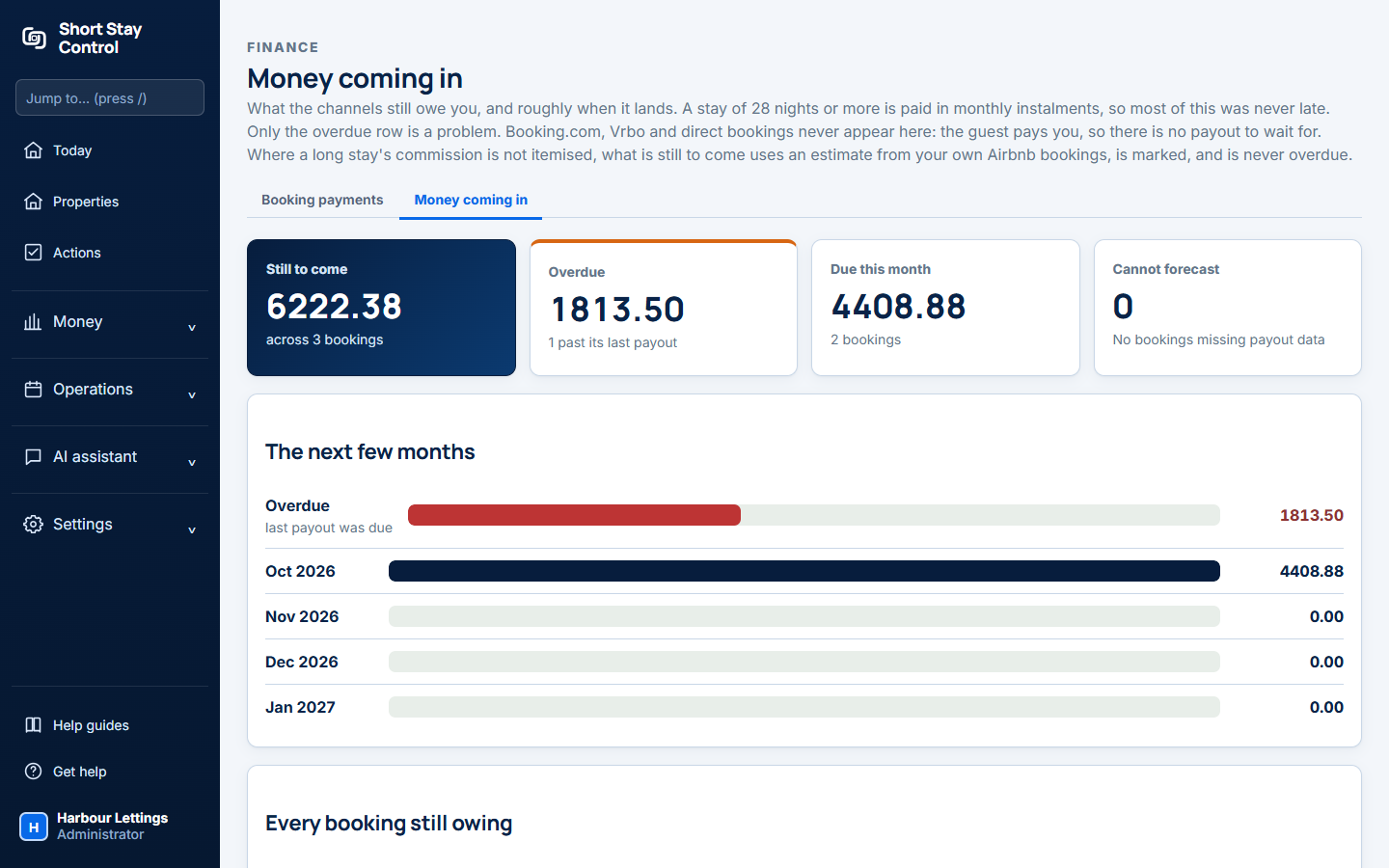
Figure 1. The Money coming in page, using invented booking and payout data.
What you will see
The page groups the booking and payment figures that Short Stay Control can read. The amount booked and the amount paid out can differ because channels deduct fees and pay on their own schedules. On Uplisting, an Airbnb commission figure may be an estimate: the booking page says, "Uplisting cannot see the fee Airbnb actually charges, so the real figure is on Airbnb's payout statement and may differ." Finance members can see this page. Facilities and office managers do not have finance access by default.
If something goes wrong
- If a booking is missing, check Connections for its last sync and confirm the booking exists in the connected account.
- If a payout looks wrong, open the booking's Money page and read the lines the provider supplied. The page says "Nothing is hidden, including lines Short Stay Control does not recognise and lines that were later withdrawn."
- Use Get help with the booking reference and the on-screen message. Never send card details.