
Help guides · Settings
Check your plan and billing
- For
- Owners and administrators
- Booking system
- Hostaway and Uplisting
- Last checked
Plan & billing shows your property count, current term and next payment. Your card details are held by Stripe, the payment provider.
Steps
- Open Settings, then Plan and billing.
- Check the property count, plan amount and trial or renewal date.
- On launch pricing, use Change card or see invoices. On other plans, use Manage payment in Stripe to open the payment provider's portal if it is available.
- If your tracked property count changed, review the proposed plan change before confirming it.
- To stop renewal, follow [Cancel your subscription](33-cancel-subscription.md).
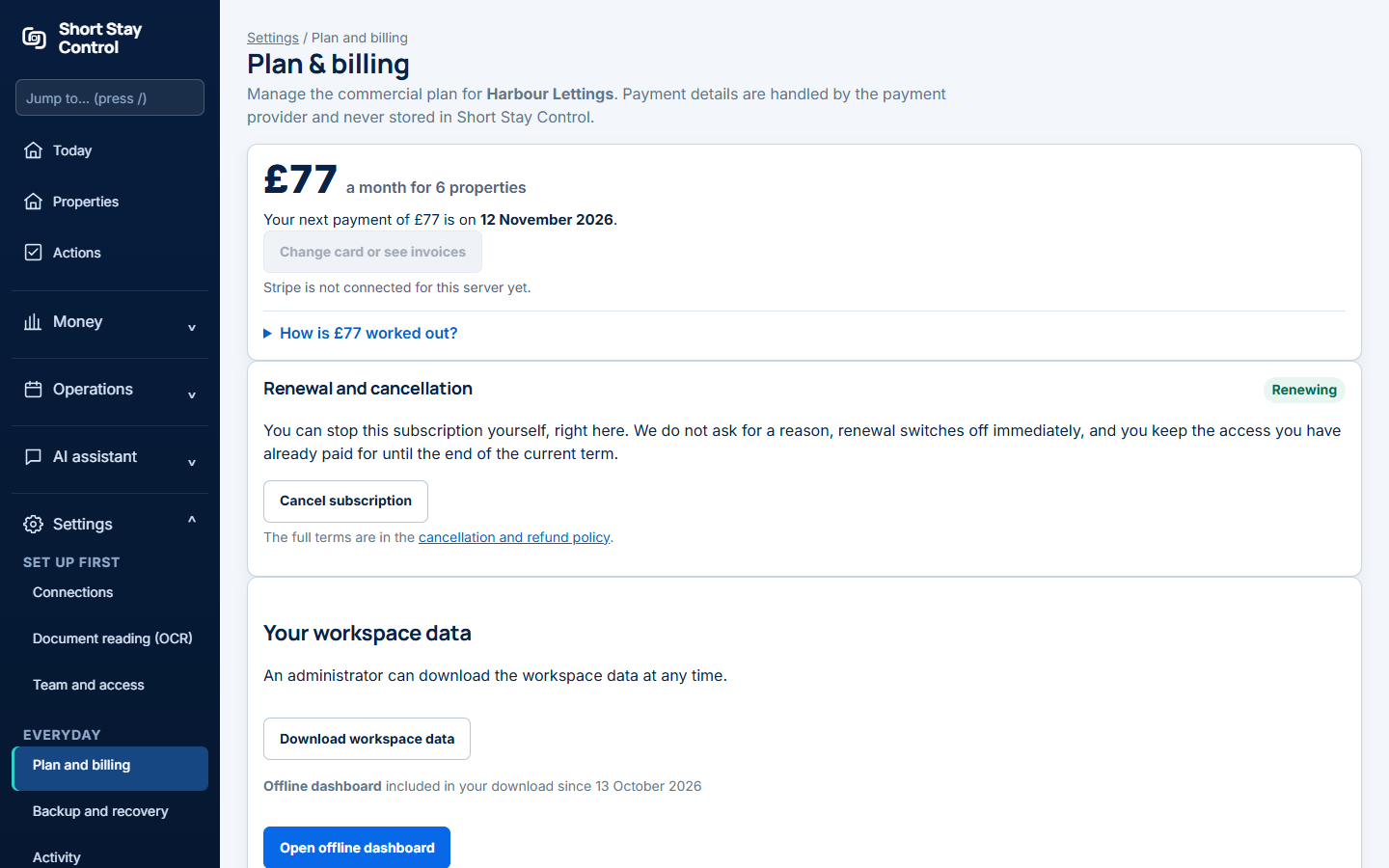
Figure 1. The plan and billing page in a local demonstration workspace. No card page was captured.
What you will see
The page states what is due and when. In a live subscription, card changes and invoices are handled by Stripe; Short Stay Control does not store the payment details. Only administrators manage billing. "No payment is taken here." appears for workspaces outside launch pricing; it is not a test-only message.
If something goes wrong
- "Your plan could not be changed just now." Nothing changed or was charged. Try again in a few minutes.
- If Manage payment in Stripe is unavailable, read the reason shown beside that control and use Get help if it persists.
- Check the date displayed on this page before assuming a trial or subscription has ended.