
Help guides · Money
Read portfolio performance
- For
- Owners and administrators, Finance, Management read-only
- Booking system
- Hostaway and Uplisting
- Last checked
Portfolio & P&L brings together revenue, occupancy, commission and recorded costs. P&L means profit and loss. These figures help you compare properties; they do not say what is in your bank account.
Steps
- Open Money, then Portfolio & P&L.
- Check the reporting dates and the properties included.
- Read the data confidence notice before comparing totals.
- Open a property or the profit and loss view to investigate a change.
- Use the export control only after checking the period and scope.
Finance and management read-only: open Portfolio and P&L directly from the main menu.
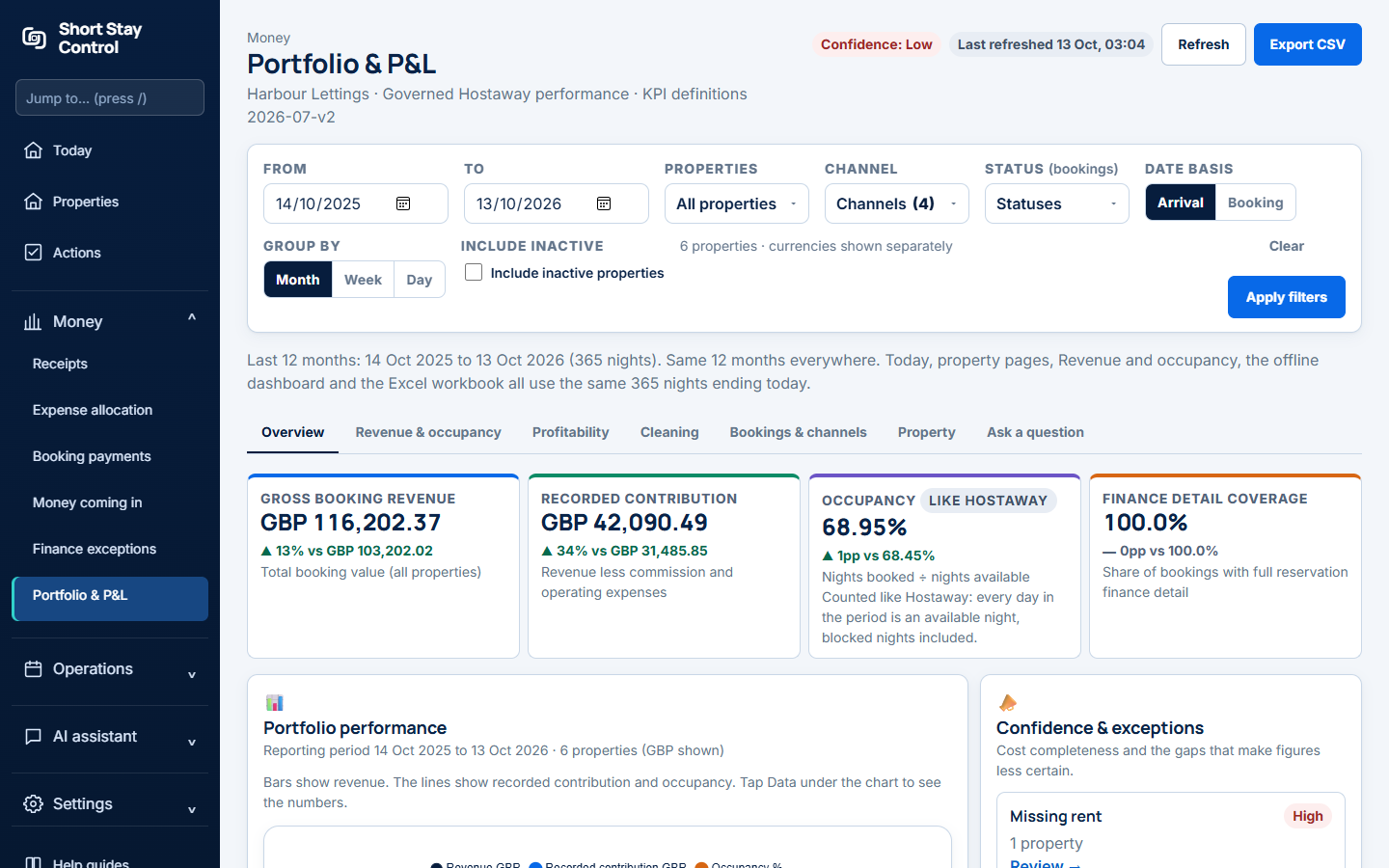
Figure 1. The portfolio report in the demonstration workspace.
What you will see
The report shows figures for the chosen period, with comparisons where enough history exists. A missing cost record can make contribution look too high. A pending receipt does not enter the approved cost total. Finance members may see the report; office managers and facilities members do not see the finance menu by default.
If something goes wrong
- If an earlier comparison is unavailable, check the selected dates and imported booking history.
- If the report warns that expenses "cannot be tied to a verified property", review the property match and expense allocation before relying on that property's result.
- If the setup guide says "Workspace not ready yet.", missing booking system data must not be treated as zero revenue or zero costs.