
Help guides · Money
Read profit and loss
- For
- Owners and administrators, Finance, Management read-only
- Booking system
- Hostaway and Uplisting
- Last checked
The profit and loss view, often called P&L, shows booking revenue less recorded commission and operating costs for the period. It is a management view of contribution, not formal accounts.
Steps
- Open Money, then Portfolio & P&L.
- Choose the period and property scope.
- Open the profitability view and read each line's source and comparison.
- Investigate unresolved expenses and receipts that have not yet been approved.
- Export the report only after checking the dates and data confidence.
Finance and management read-only: open Portfolio and P&L directly from the main menu.
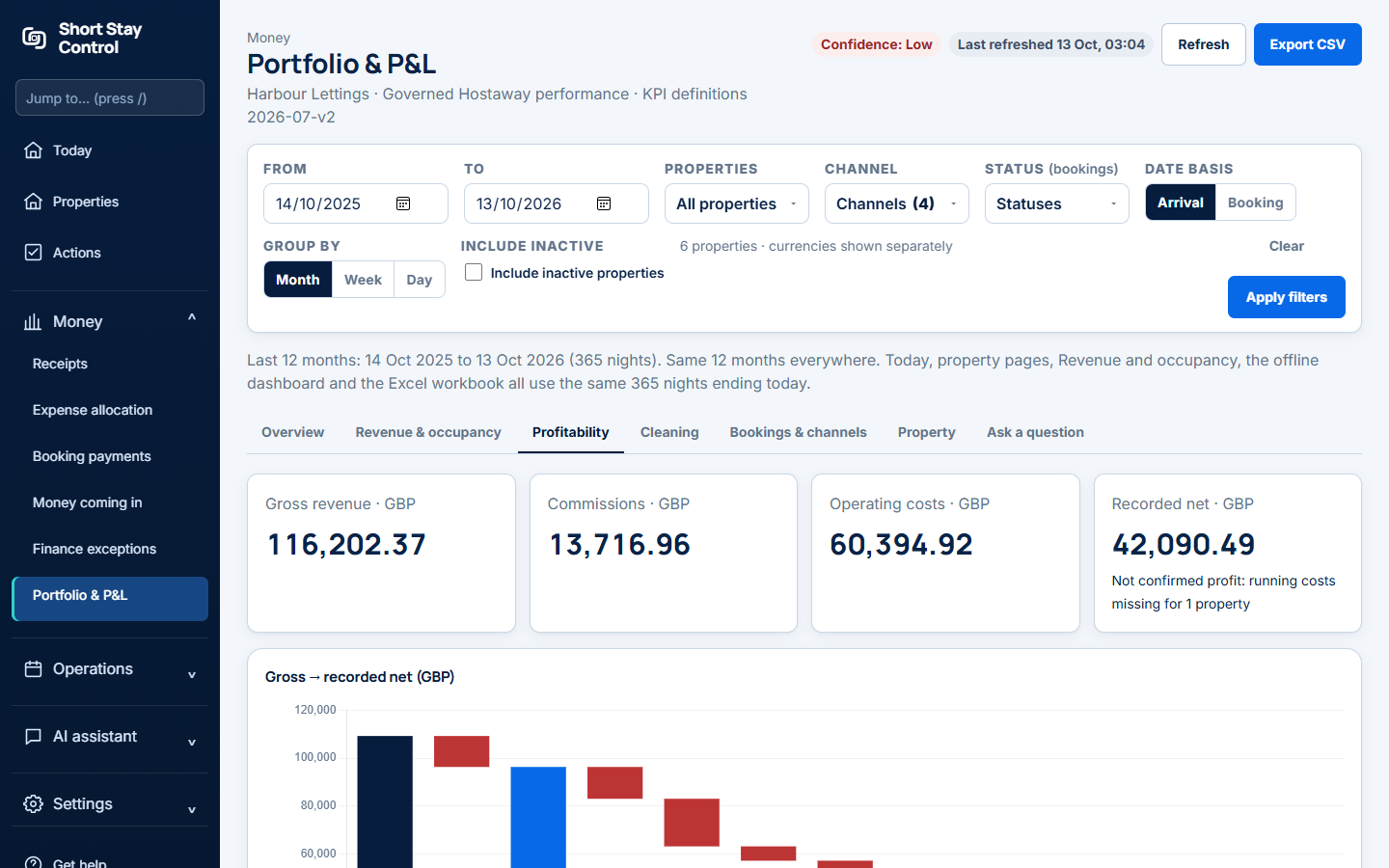
Figure 1. The profitability view in a demonstration workspace.
What you will see
The view uses approved costs and imported figures that can be tied to a property. Guest payments and channel payouts are separate from contribution. Finance members see the report by default; facilities and office managers do not see financial figures unless an administrator changes their role permissions.
If something goes wrong
- If an earlier comparison is unavailable, check the selected dates and imported booking history.
- If the page says expenses "cannot be tied to a verified property", open Expense allocation on Hostaway or review receipt allocations.
- If a cost is missing, check the receipt's approval status before adding it again.