
Help guides · Receipts and documents
Resolve a receipt exception
- For
- Owners and administrators, Finance
- Booking system
- Hostaway and Uplisting
- Last checked
Receipt exceptions lists costs that need a decision before the profit and loss report or a Hostaway posting can be trusted.
Steps
- Open Money, Receipts, then Resolve exceptions.
- Use Search and Issue to narrow the list. Filters do not change data.
- Read What is wrong and Next action for each row.
- Open Correct / review receipt and compare the original with the amount and property.
- On Hostaway, use Re-check Hostaway or Refresh and confirm when the exception concerns an uncertain Hostaway expense.
Office managers, operations managers and Finance: open Receipts directly from the main menu when your role has document access.
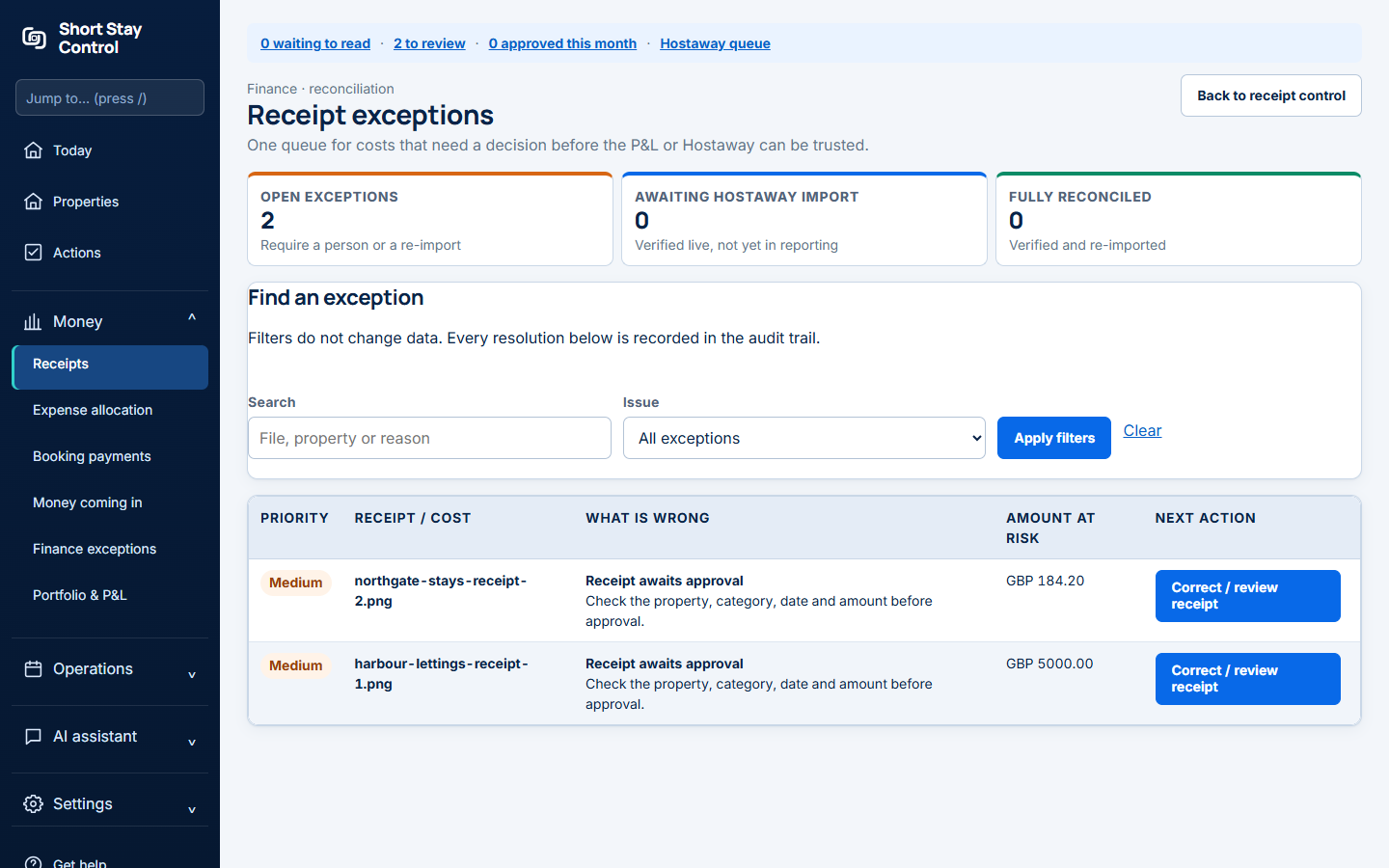
Figure 1. The exception queue after local fake filenames were limited to Harbour Lettings and Northgate Stays.
What you will see
The page groups open exceptions, items awaiting Hostaway import and fully reconciled costs. A decision is recorded in the activity history. Uplisting does not have Hostaway verification actions. Finance members and administrators can resolve costs according to their permissions.
If something goes wrong
- "No exceptions match these filters." Clear the filters, but still perform the normal receipt and booking system checks.
- "Unable to check progress" on a Hostaway refresh means the page could not read the job status. Refresh the page; it says no Hostaway expense was created or changed by that check.
- If a send is uncertain, re-check Hostaway before retrying so you do not create a duplicate expense.