
Help guides · Getting started
Use your company setup guide
- For
- Owners and administrators
- Booking system
- Hostaway and Uplisting
- Last checked
The setup guide is a map of the main jobs after sign-up. It links to the place where each job is actually done.
Steps
- Open Setup guide from your account menu.
- Choose a focus area, starting with the booking system connection.
- Use the button on each step to open the relevant workspace page.
- Return to the guide and choose Next: {step name} when you are ready. Use Previous step to go back or Leave guide for now to return later. Opening a step does not mark it complete.
- Finish with the walkthrough of the portfolio report, a property, receipts and your team.
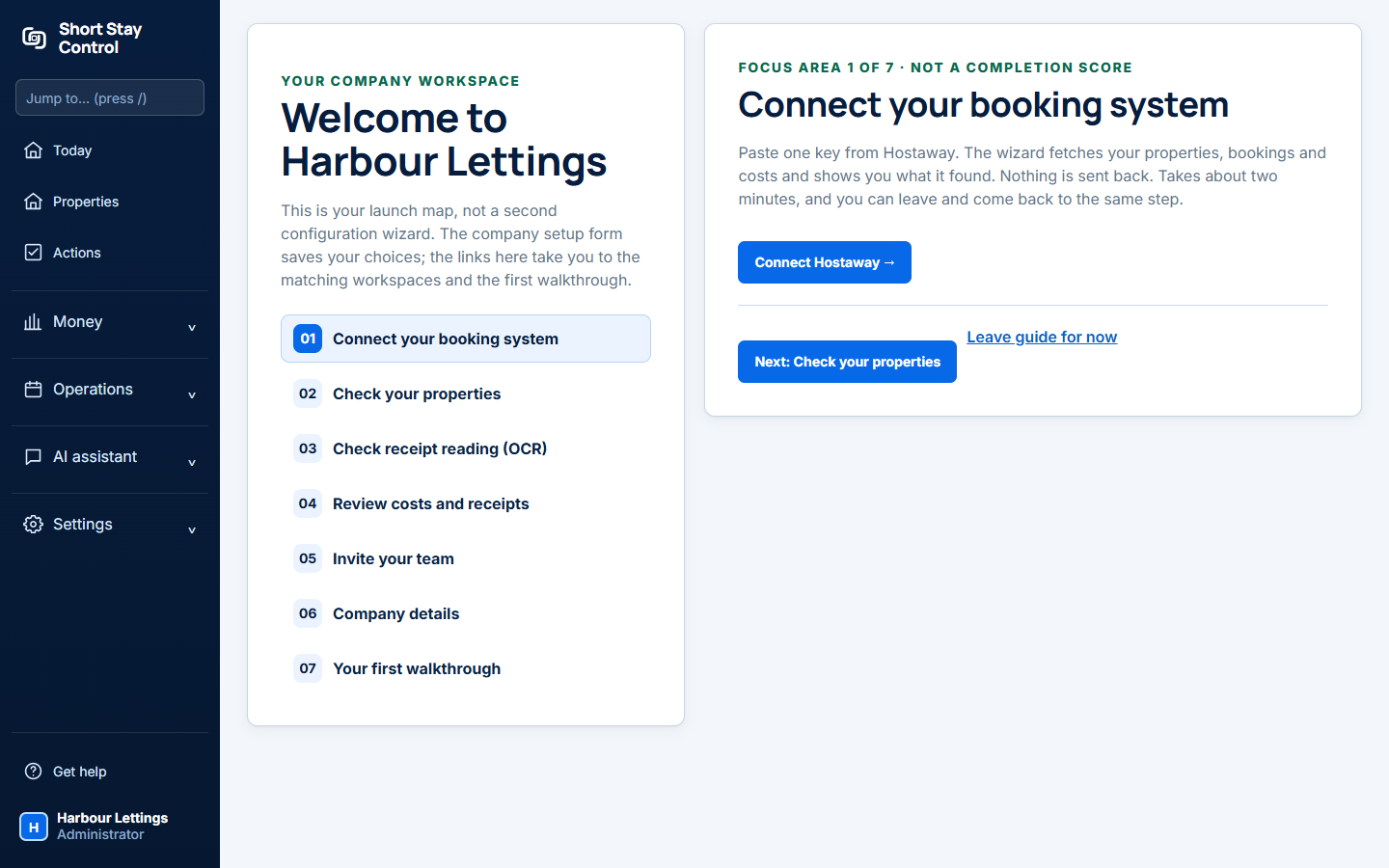
Figure 1. The setup guide in the demonstration workspace.
What you will see
The page calls itself a launch map. Its Focus area count is not a completion score. The company setup form saves your choices; the guide links to each working page. Administrators use it to connect the provider, check properties and invite colleagues.
If something goes wrong
- "Still to confirm: a working PMS connection and imported properties." PMS means property management system. Finish the connection and import; opening the guide does not make them ready.
- "Workspace not ready yet." You can explore, but missing booking system data must not be treated as zero revenue or zero costs.