
Help guides · Today and figures
Read Today and choose a reporting period
- For
- Owners and administrators, Operations managers, Office managers, Finance, Facilities coordinators, Management read-only
- Booking system
- Hostaway and Uplisting
- Last checked
Today gives you a quick view of bookings, revenue and costs for your chosen period. It is a report about stays, not a bank statement.
Steps
- Open Today in the menu.
- Choose a Reporting period. The dates shown beneath the box tell you exactly which nights are included.
- Choose Properties to see the whole portfolio or a smaller group.
- Choose Compare with if you want to see how the figures changed.
- Select Review data confidence when a figure needs checking.
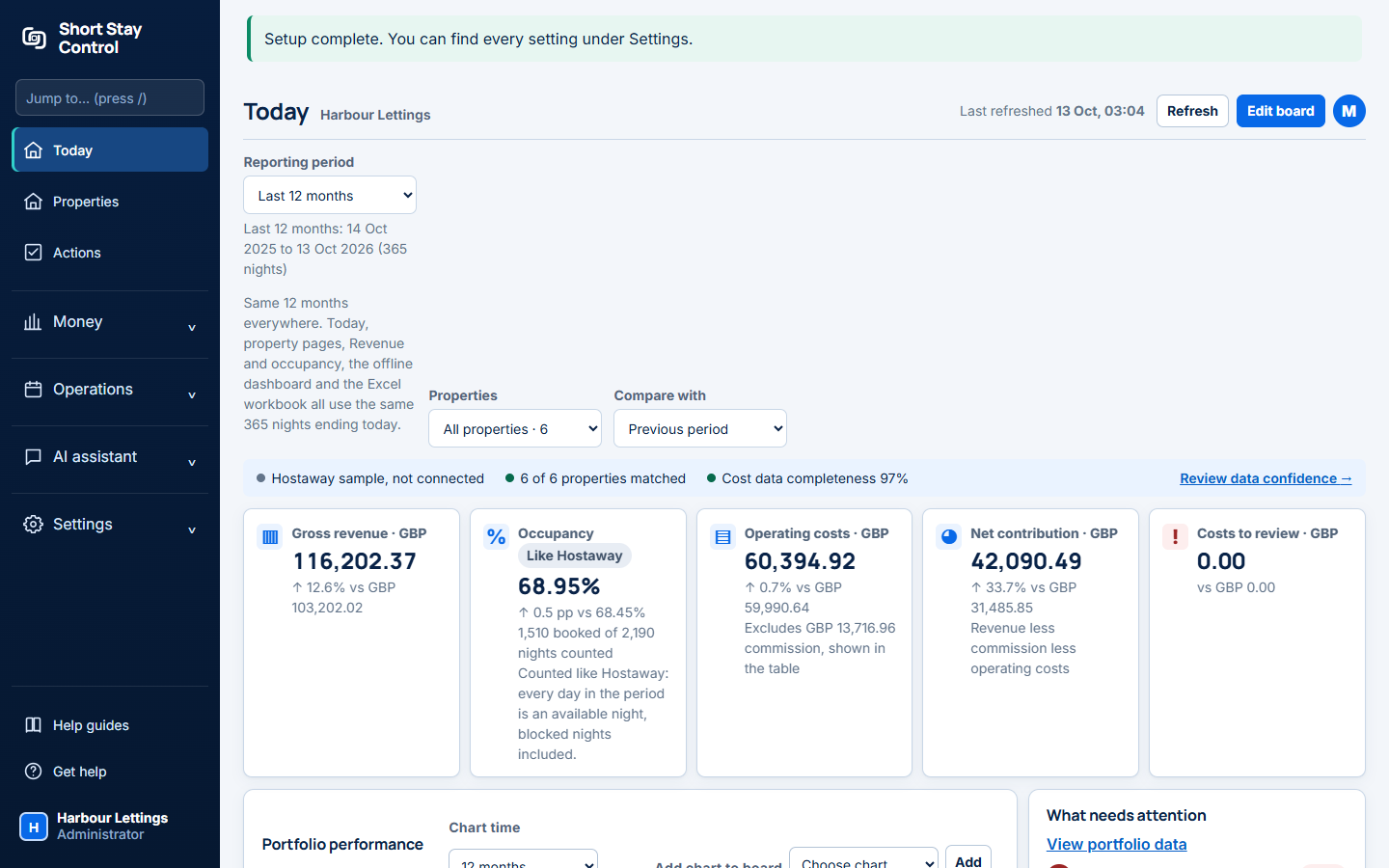
Figure 1. The reporting period, property filter, data confidence strip and main figures in the demonstration workspace.
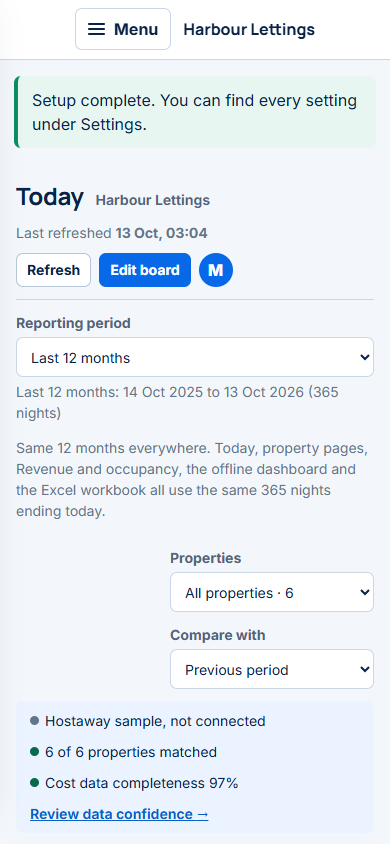
Figure 2. Today at phone width. The same reporting period and figures remain available.
What you will see
The cards show Gross revenue, Occupancy, Operating costs, Net contribution and Costs to review. Gross revenue is booking value. Net contribution takes away recorded commission and operating costs; it is not cash received or accounting profit. The strip above the cards shows the booking system, matching status and cost data completeness. Hostaway and Uplisting can supply different kinds of data, so check that strip before relying on a comparison.
Finance and management read-only members see the money cards. Office managers, operations managers and facilities members see Occupancy only unless finance access is granted. All these roles can open Today from their main menu.
Why occupancy can differ from Hostaway
Occupancy is booked nights as a share of the nights counted for the selected period and properties. The default Like Hostaway option counts every day in the period, including blocked nights and days before a property started. The screen says: "Counted like Hostaway: every day in the period is an available night, blocked nights included." In Uplisting workspaces, the option is Like your booking system; the screen says: "Counted like your booking system: booked nights as a share of booked plus available nights. Blocked nights are left out." If an administrator chooses Our method under Settings, then How occupancy is counted, blocked nights are left out and counting starts on each property's start date. Check the method, reporting period and property selection when comparing the percentage with Hostaway. Changing the method changes the occupancy percentage, not the booked nights or revenue.
If something goes wrong
- If the setup guide says "Workspace not ready yet.", explore the screens, but do not treat missing booking data as zero revenue.
- If a property is missing, check its booking system match and whether it is still tracked. See [Properties](11-properties.md).
- If costs look low, select Review data confidence and check unallocated receipts before drawing a conclusion.