
Help guides · Frequently asked questions
Uplisting questions and fixes
- For
- Owners and administrators, Operations managers, Office managers, Management read-only
- Booking system
- Uplisting
- Last checked
Use Settings, then Connections to check your Uplisting key, last sync and import state.
Steps
- Find the exact message below.
- Check the connection status and last successful sync.
- Use Run safe test if the key may have changed.
- Use Refresh recent bookings or Fetch everything again when the key is healthy but history is incomplete.
- Ask support for help with the message and time if it does not clear. Never send your key.
Only administrators have a Connections menu link. Office managers and management read-only members with integration viewing may open a shared Connections link; Finance cannot open Connections.
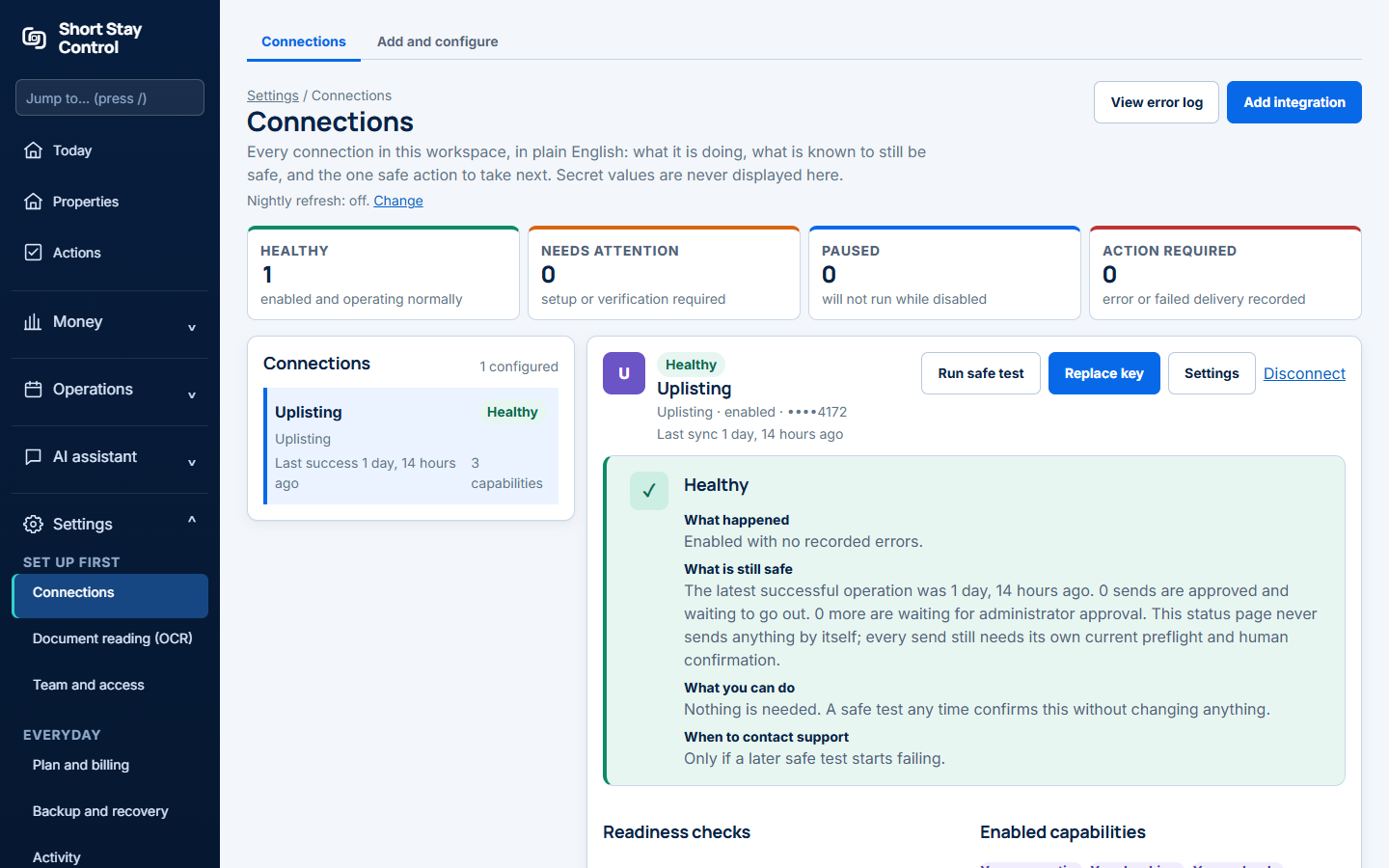
Figure 1. A healthy simulated Uplisting connection. The demo workspace uses invented Harbour Lettings figures.
What you will see
Uplisting supplies properties, bookings and calendar data. It does not supply costs, so you add costs from receipts in Short Stay Control. Approved costs stay there; Uplisting cannot receive them. The first fetch continues in the background, one property at a time. API means application programming interface.
If something goes wrong
- "Paste the Uplisting API key first." The key box is empty.
- "Uplisting did not accept this API key. Create a new key in Uplisting under Connect, then API, and paste it again." Replace the key and test it.
- "Uplisting accepted this key, but the account it belongs to has no properties." Check that the key comes from the account holding your homes.
- "Uplisting could not be reached. Nothing was changed; the next refresh will try again." Wait and retry later.
- "Uplisting asked Short Stay Control to slow down and kept refusing. The next refresh will try again." Let the provider's limit clear.
- "The fetch stopped" offers Fetch again. What was already fetched is kept.