
Help guides · Receipts and documents
Upload a receipt or bill
- For
- Owners and administrators, Operations managers, Office managers, Finance
- Booking system
- Hostaway and Uplisting
- Last checked
Upload the original file once, then review what Short Stay Control reads from it. Uploading does not approve a cost or send anything to your booking system.
Steps
- Open Money, Receipts, then Upload and documents.
- Under Add a document, select Choose files or Take a photo. You can also drop files onto the page.
- Choose a property if you know it. Use More details (optional) for details you do not want the document reader to replace.
- Press Upload receipts. You can carry on while reading happens in the background.
- Open the file under Needs review and check it before approval.
Office managers, operations managers and Finance: open Receipts directly from the main menu when your role has document access.
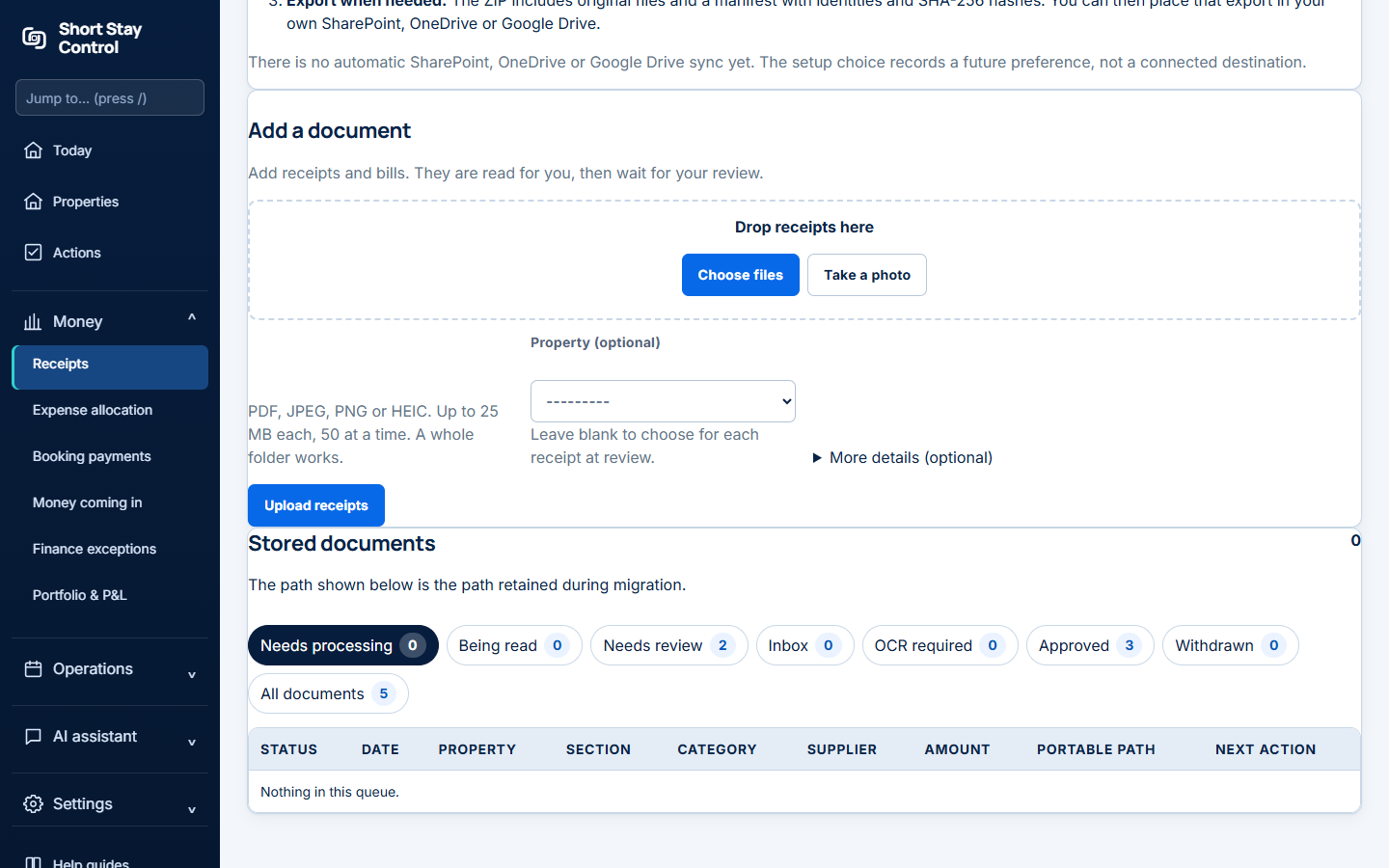
Figure 1. The upload area and private storage information.
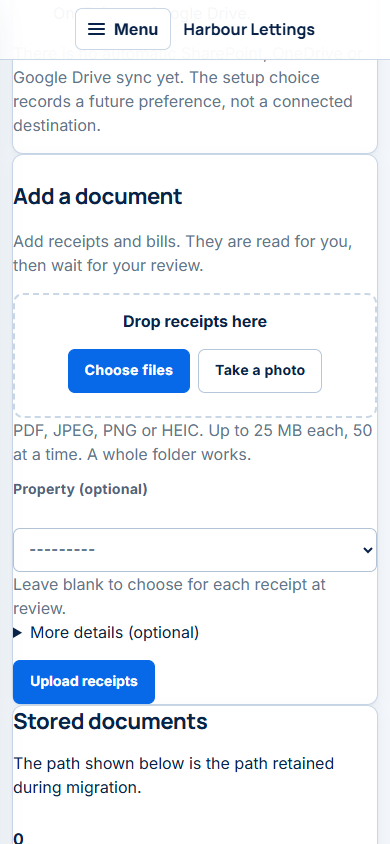
Figure 2. The upload page at phone width, where you can choose a file or take a photo.
What you will see
The page accepts PDF (portable document format), JPEG (Joint Photographic Experts Group), PNG (portable network graphics) and HEIC (high efficiency image container) files, up to 25 megabytes each. It reports how many were added and which were refused. Originals are kept in the workspace's private storage. Office managers can upload and work on receipts, but cannot approve them by default. Finance members can approve.
Administrators can open Settings, then Document reading (OCR) to review the document-reading settings. OCR means optical character recognition, the software that reads text from an image or scan. Changing a reading setting does not approve an uploaded cost.
If something goes wrong
- "Short Stay Control already holds this exact file." Check the earlier upload. If this really is a second identical receipt, tick Add it anyway.
- "Saved. It is waiting here." The file is stored but has not been read. Select Read it now if needed.
- If the batch says a file "was not added", read the reason beside its name, fix it and upload that file again.